




























Running a small business, that too a retail one, is not easy! You must manage inventory, deal with various customers, and track sales. It might make you feel like it is some kind of juggling act!
That’s where the POS system for small businesses comes in. If you have a small business and are wondering how to streamline transactions and business management, this blog is for you.
Here, I will help you find answers to two specific questions:
- “Do I need a POS system for my small business?”
- “Which POS system is best for a small business?”
Moreover, I will also walk you through the concept of what a POS system is, why it is essential for small retail businesses, and lastly, how to choose the best POS system for small businesses, especially in the retail sector.
First Things First: What Is a POS System?
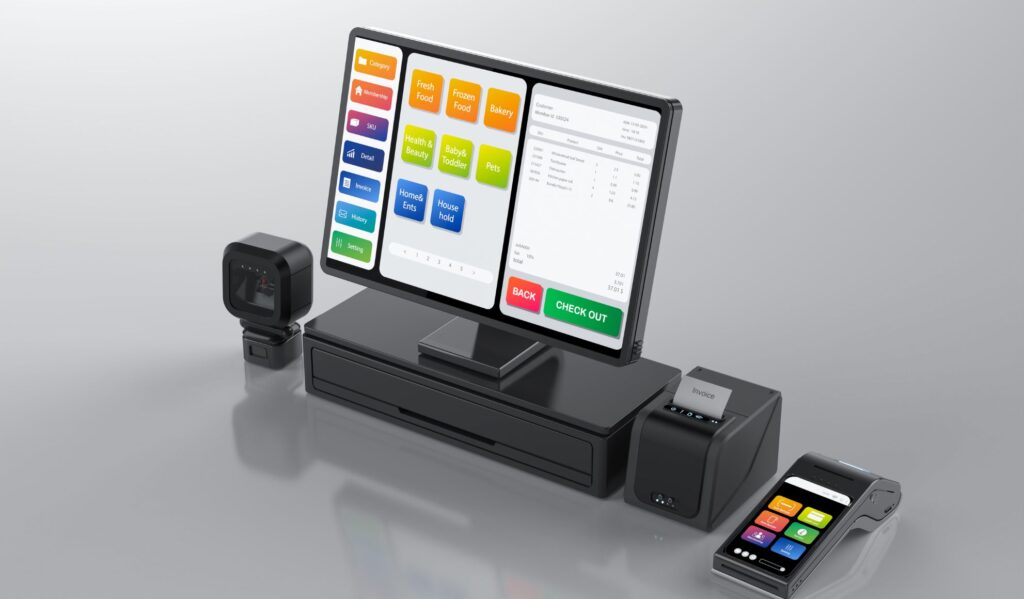
A POS system, short for “Point of Sale” system, is much more than just a fancy cash register. You can say it is a combination of both hardware and software that helps you to:
- Complete your sales
- Track inventory,
- Manage customers,
- Generate reports, and much more.
You can think of it as the brain of your retail business. When a customer makes a purchase, the POS system automatically
- Records the sale,
- Updates your inventory,
- Processes the payment, and
- Stores the transaction data.
And for the small businesses? This is a game-changer for them.
What Is the Purpose of a POS in a Small Business?
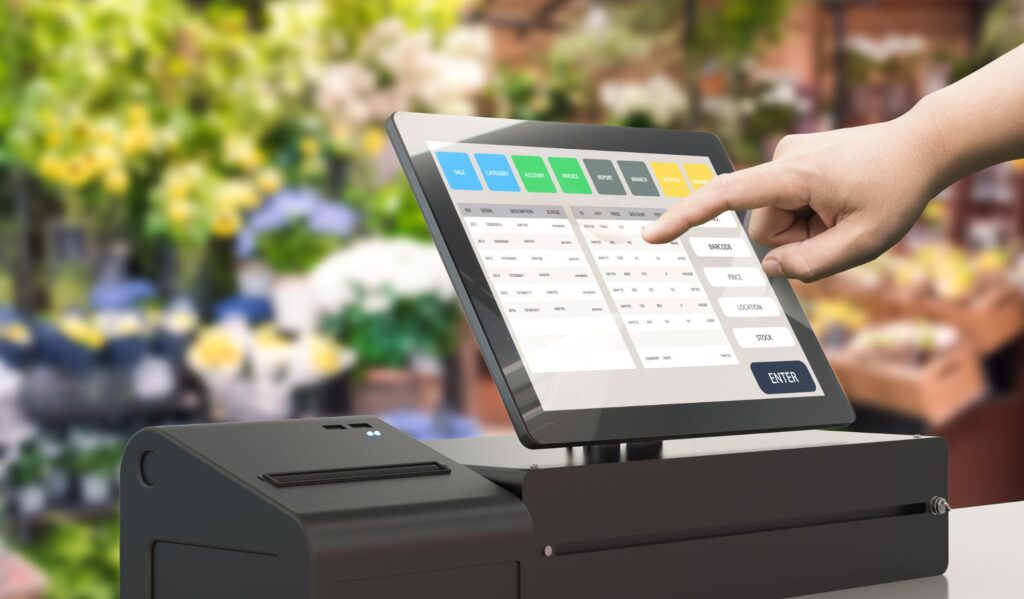
Well, are you new to retail? Or have you started your business? Well, it is obvious to think “why does anyone need a POS system for small business in the first place? We have our notebook and calculator!”
Well, maybe you have! But would you like to take a bicycle to travel to a different city when you have a car in the garage? No, right?
It’s the same with a POS system as well. Let’s take a look at what a good POS system does for you!
- The POS systems can help you speed up the checkout process. There will be no more awkward price comparisons or slow transactions.
- Secondly, they can help you track the inventory in real-time. This way you will never run out of your bestsellers.
- Through a potential POS system, you can gather customer data. They let you run the loyalty programs and targeted promotions when needed.
- Fourthly, a POS system can help you to generate the sales report so that you can make smarter decisions.
- Lastly, a good POS system can provide you multiple payment types. This includes mobile wallets, credit cards, as well gift cards.
In short, a POS system for retail businesses helps you work smarter, not harder.
How to Choose the Best POS System for Small Business (This Is Retail-Focused)
Now, let’s talk about what matters—choosing the best POS system for small businesses, especially for retail.
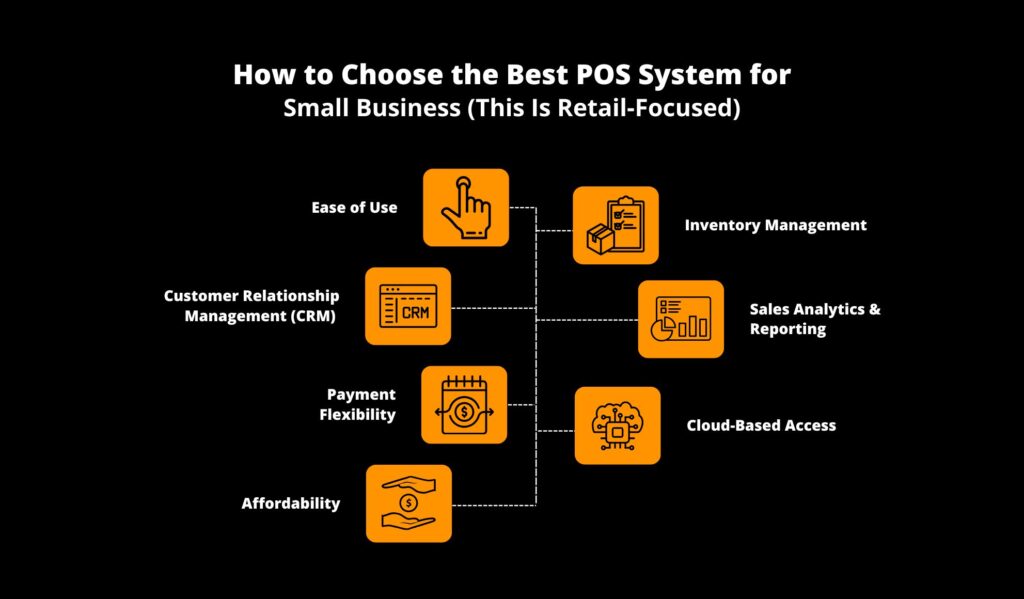
Here’s a simple checklist of features to look for:
1. Ease of Use
Your POS system should be easy to learn and operate. You don’t want to spend hours training your staff or trying to figure out confusing dashboards. Look for a clean interface and intuitive design.
2. Inventory Management
Being a retailer, inventory is a retailer’s lifeline. Try to choose a POS system that can monitor stock levels in real-time, alert you if an item is running low, and even suggest restocking plans based on past usage.
3. Customer Relationship Management (CRM)
So, what are you looking for? Do you need to establish a loyal customer base? A POS system that maintains customer profiles, purchase history, and preferences can help you deliver personalized experiences.
4. Sales Analytics and Reporting
Information is a very valuable resource. Pick a platform that shows you top-sellers, the best time to sell, and who your customers are.
This will be of great assistance to you, not only in marketing but also in purchasing the correct inventory.
5. Payment Flexibility
Before anything, one thing you have to ensure is that your POS system is capable of accepting various payment forms.
This includes credit and debit cards, UPI, mobile wallets, gift cards, and even sharing the amount with other people.
6. Cloud-Based Access
Having a cloud-based POS allows you to keep an eye on your business everywhere—whether it’s from your laptop, tablet, or phone. It is particularly beneficial when you have several locations to manage.
7. Affordability
You run a small business; hence, cost is of great significance to you. Opt for a system with clear pricing, without hidden charges, and with affordable monthly plans.
Best POS System for Small Business (Retail Edition)
Alright, let’s dive into a few top contenders that are loved in the retail world. These systems are well-reviewed, affordable, and packed with features tailored for small businesses.
1. Square POS
Square is one of the most popular POS systems for small businesses. It’s easy to set up, has a free plan, and works beautifully for retail shops.
Why retailers love it:
- Intuitive interface
- Built-in payment processor
- Free online store integration
- Smart inventory and sales tracking
- Works on tablets and smartphones
Perfect for: Clothing stores, gift shops, art boutiques
2. Shopify POS
If you run both an online and offline store, Shopify POS is your best friend. It connects seamlessly with your eCommerce store and centralizes all your sales in one place.
Why retailers love it:
- Unified online + offline inventory
- Smart checkout options
- Supports barcodes and SKUs
- Loyalty programs and marketing tools
Perfect for: Hybrid retail stores with physical and online presence
3. Lightspeed Retail
Lightspeed is a powerful POS system built specifically for retail businesses. It features advanced inventory tools and excellent reporting capabilities.
Why retailers love it:
- Bulk product imports
- Purchase order management
- Integrated eCommerce platform
- Multi-location support
Perfect for: Furniture stores, sporting goods shops, electronics
4. Vend by Lightspeed
Vend offers a user-friendly interface with strong inventory features and customizable workflows. It’s now part of the Lightspeed family, so you get all the perks.
Why retailers love it:
- Offline mode support
- Loyalty program tools
- Custom receipts
- Secure staff permissions
Perfect for: Bookstores, general merchandise, small supermarkets
Tips to Get the Most Out of Your POS System
Have you found the best POS system for your small business, especially for your retail business? That’s a huge step forward!
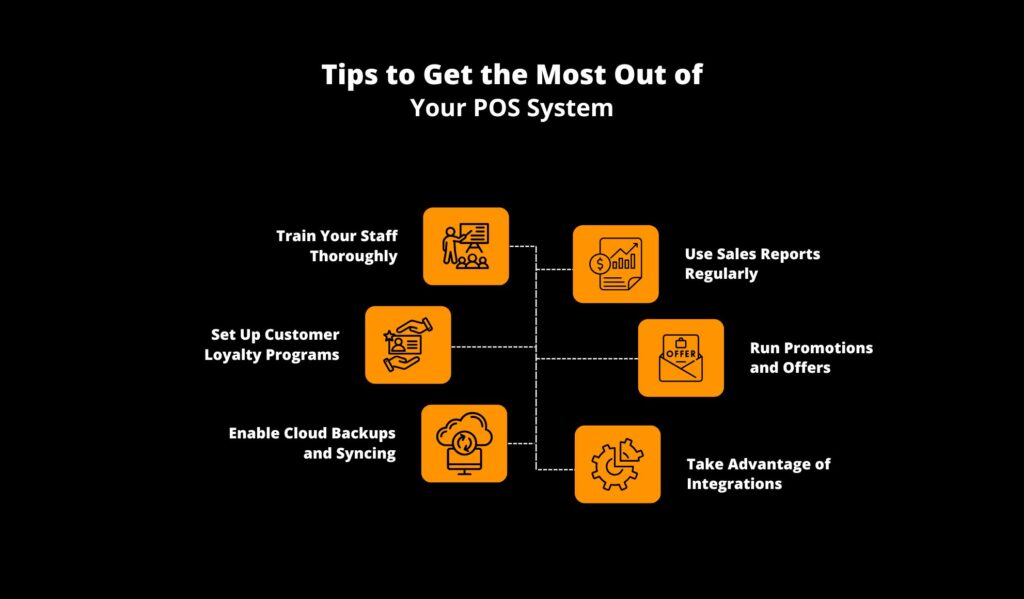
Whether you are using the application for inventory tracking, customer engagement, or even sales reports, here are some friendly and practical tips that you can follow to maximize the potential of your POS system:
1. Train Your Staff Thoroughly
You can only make your POS system effective if the people who use it know how to use it. Therefore, you must ensure that your team is well-trained.
This is not just some basic checkout functions. The process also includes how it manages returns, checks inventory, and applies further discounts.
Always remember one thing: the smoother the checkout process, the better the customer experience will be.
2. Use Sales Reports Regularly
Secondly, you must not ignore the built-in analytics! Your POS system tracks all the valuable data, such as:
- Daily sales,
- Top-selling items,
- Customer habits,
- Slow-moving inventory.
So, I suggest that you take time every week to review these reports. They help you make smarter buying, staffing, and marketing decisions.
3. Set Up Customer Loyalty Programs
Does your POS system include CRM tools? Then, it’s time for you to use them to build better relationships.
No, it’s not some difficult task! You just have to:
- Create loyalty programs
- Offer some exclusive discounts
- Send out birthday promotions.
Trust me! These small gestures are enough to win your customers’ hearts! They will keep coming back and further boost your repeat sales.
4. Run Promotions and Offers
You can also use your POS dashboard to schedule time promotions and discounts. Try to highlight all the slow-moving items and introduce new products.
This flexible approach can help you to drive foot traffic and further increase average order value.
5. Enable Cloud Backups and Syncing
The next step is to ensure regular data backups. I suggest using the cloud. This adds a layer of security and provides you with access to sales insights, even when you’re not at the store.
6. Take Advantage of Integrations
Do you know most POS systems can now integrate various tools such as:
- Accounting software
- Email marketing platfroms
- Ecommerce stores
You just have to connect these systems in order to create a streamlined, all-in-one buisnesas toolkit.
A well-used POS system becomes more than a cash register—it becomes your retail command center.
Can I Get a Free POS System for My Small Business?
Definitely! Let’s suppose you are running a small retail business and have been monitoring your budget very carefully (which, I guess, most small business owners do). The concept of a POS system that is free can sound like a wish that has been fulfilled—and in lots of cases, it is.
Several POS providers are very popular and offer free plans that may be suitable for startups or small businesses.
Typically, these plans include basic features such as sales recording, stock handling, and customer profiles—just the right tools to help you get started without incurring any costs.
So, what is the downside?
However, the main thing is that you remember a few things. The majority of free POS systems generate income via payment processing fees.
So, while you don’t pay a monthly fee, you will pay a small percentage for every card or digital transaction, usually around 2.6% + 10$ per sale. That’s still pretty reasonable for the value you’re getting.
Additionally, some free versions limit features such as advanced reporting, multi-store management, or employee accounts. But for many small retail shops, these limits aren’t a dealbreaker.
Popular Free POS Options
Here are a few trusted free POS systems that are widely used by small businesses:
- Square POS – Possibly the most popular free POS system. It’s user-friendly, feature-rich, and works great for retail. You only pay when you make a sale.
- Loyverse POS – A great option for retailers and cafes. It includes free inventory management, loyalty programs, and sales analytics.
- Zettle by PayPal – Offers a sleek interface and good hardware options. Easy to set up and ideal for pop-up shops or markets.
If you’re just starting or running a lean operation, a free POS system for small businesses can be the perfect way to dip your toes in without a big upfront investment.
Also read